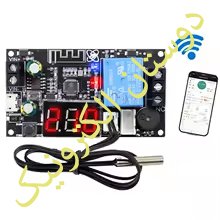
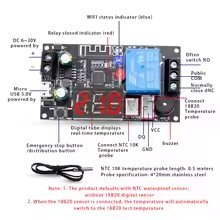
ترموستات DC 6-30V XY-WFTX WIFI
- دسته : ماژول - دما و رطوبت
- واحد : عدد
- کد محصول: 2500
- وضعیت موجودی : موجوداست جدیدرسید
- 650 افغانی
| تعداد | قیمت |
|---|---|
| 1 | 650 افغانی |
Product Parameter
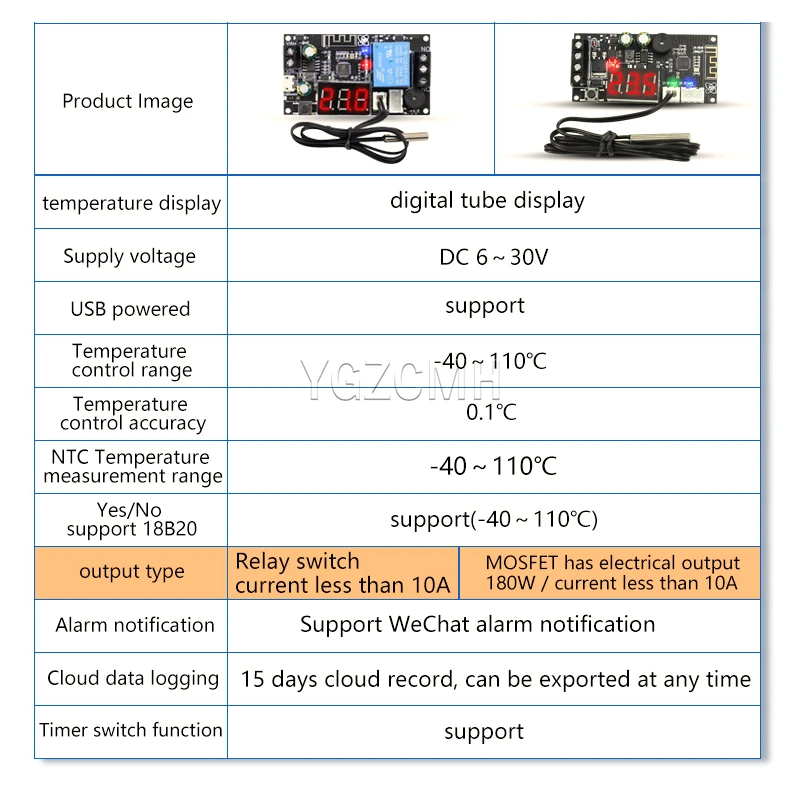
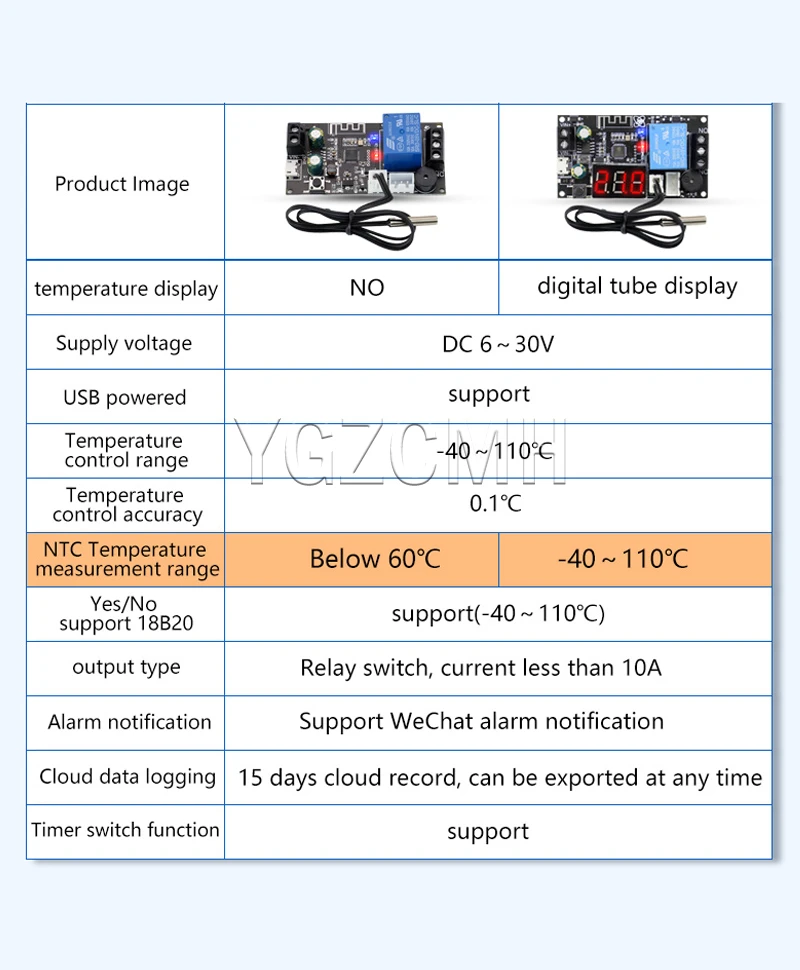
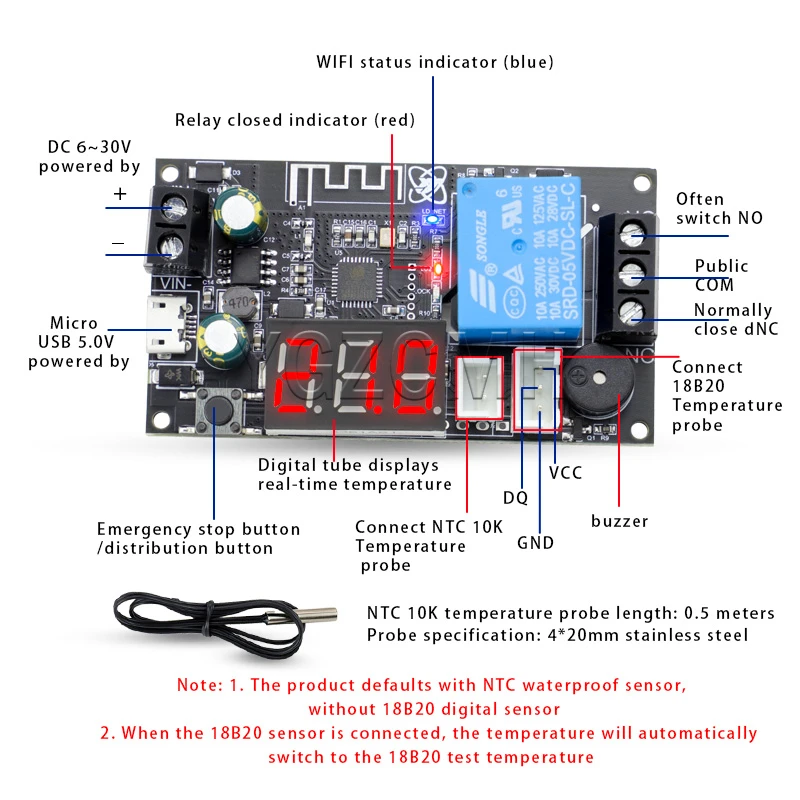
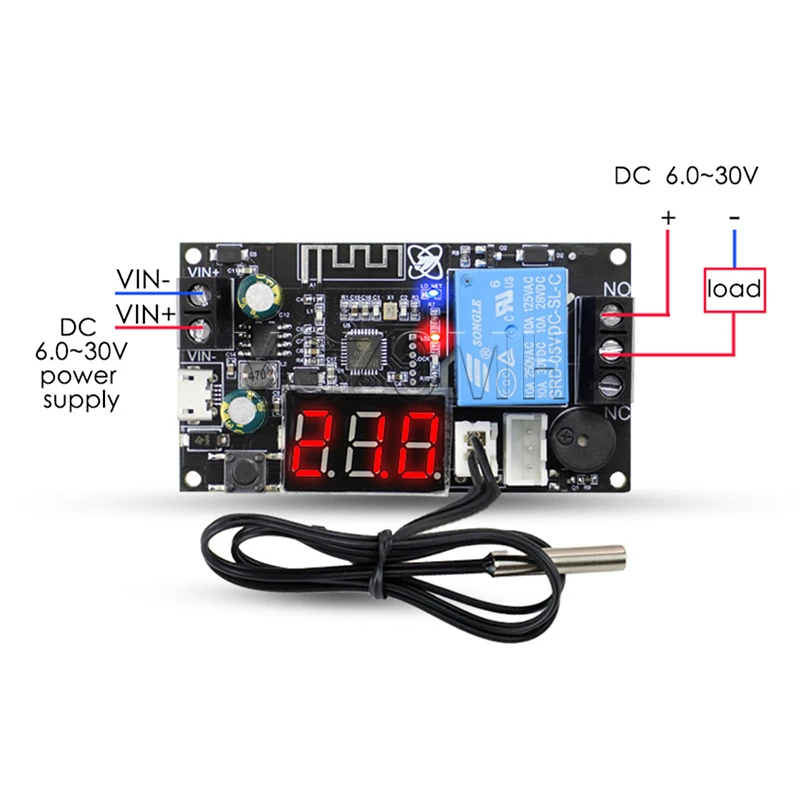
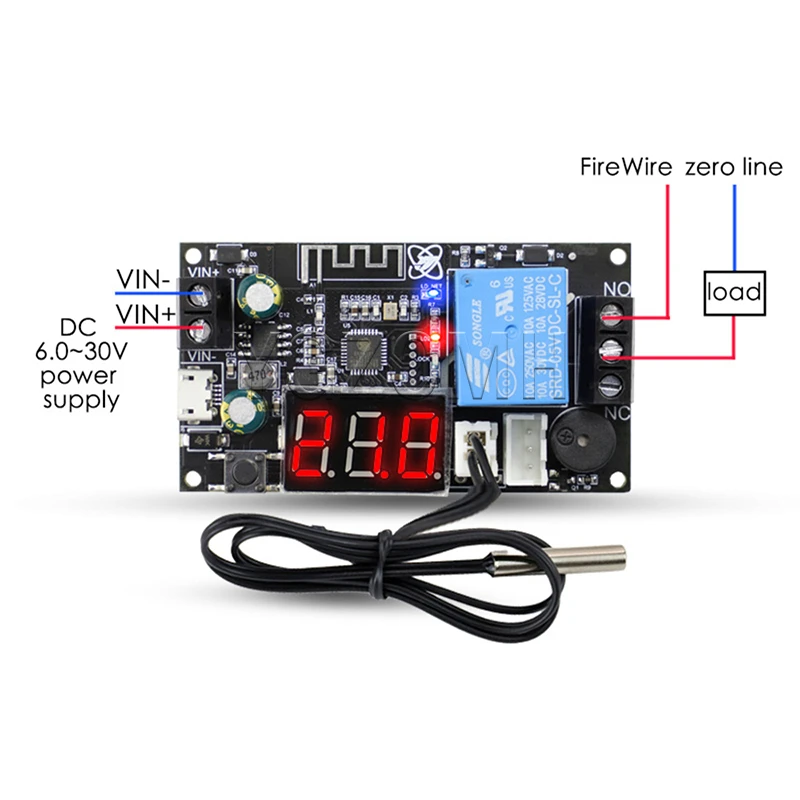
Power supply voltage: DC6.0V~30V, supports micro USB 5.0V power supply;
Temperature control range: -40℃ ~100℃;
Temperature control accuracy: 0.1℃;
Measurement input: NTC10K length of 0.5 m, waterproof type, supporting 18B20 digital sensor access;
Refresh frequency: 1 second;
Output type: 10A relay output (relay equivalent to switch, only switch, not external output voltage);
1. Description of automatic mode
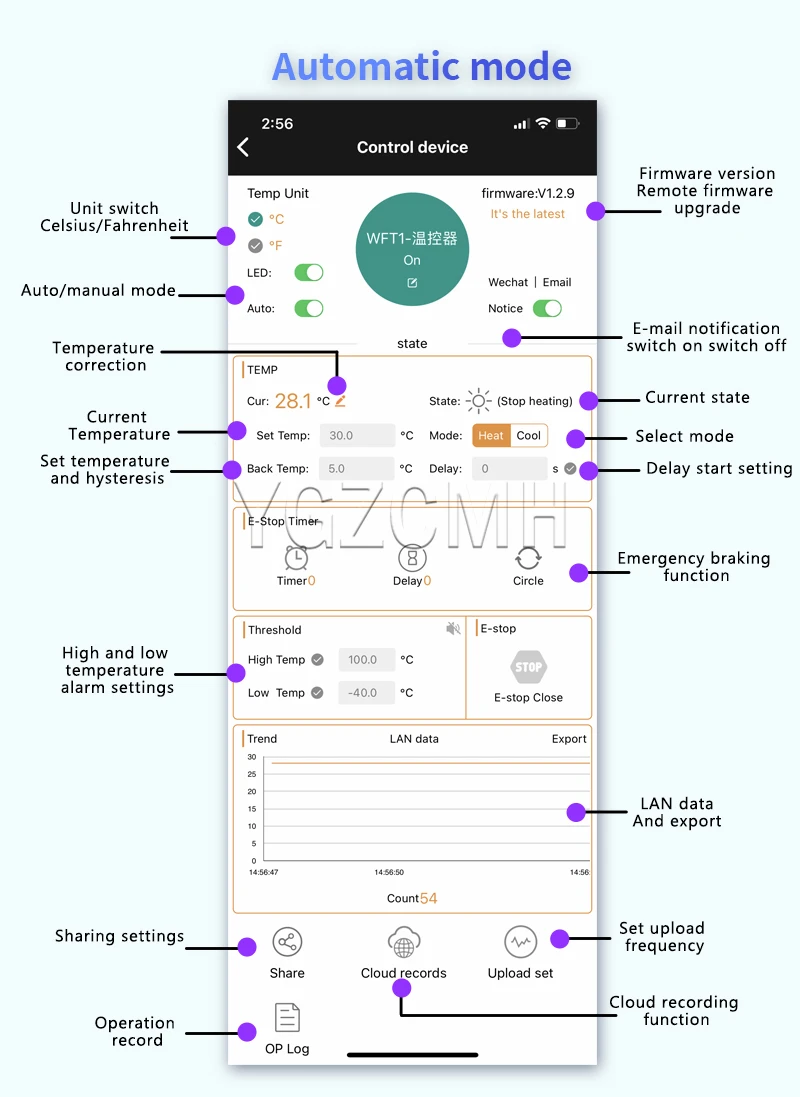
1.1 Automatic mode description
1.Automatic mode function description 1)The 1) first selects the heating mode / cooling mode;
2.sets the temperature and return difference. If the delay start is required, set the delay start time
3.If high and low temperature alarm is required, set high and low temperature alarm threshold
1.2 Heating mode description
When the detection temperature (current temperature) ≤ sets
temperature-return temperature, relay leads on and heating equipment starts working;
When the detection temperature (current temperature) ≥ sets the
temperature, the relay is disconnected and the heating equipment stops working;
For example: set temperature 30℃ and return temperature 5℃;
When the temperature is 20℃ ≤ 25℃ (30-5 = 25), the relay suction starts heating, when the temperature reaches 30℃ ≥ the set temperature is 30℃, the relay is disconnected and stops heating;
1.3 Refrigeration mode description
Detection temperature (current temperature) ≥ set temperature + return
temperature, relay leads on and refrigeration equipment starts working;
When the detection temperature (current temperature) ≤ sets the
temperature, the relay is disconnected and the refrigeration equipment stops
working;
For example: set temperature 30℃ and return temperature 5℃;
When the temperature is 36℃ ≥ 35℃ (30 + 5 = 35), the relay suction starts refrigeration,
when the temperature reaches 30℃ ≤ the set temperature is 30℃, the relay is disconnected and the cooling is stopped
1.4 Description of the time-delay startup function
How long is the delay (unit: seconds) after the first heating / cooling process will allow the next heating / cooling;
1.5 Temperature correction function
The system is working for a long time and may appear deviation. Through this function correction, the current temperature = measures the temperature + calibration value;
1.6 High-and low-temperature alarm function
buzzer on and off: on, the buzzer will sound after the alarm. After pressing the button, the buzzer stops sounding;
High temperature alarm: After the high temperature alarm is opened, after the current temperature is higher than the high temperature alarm temperature, the relay is disconnected;
Low temperature alarm: After opening the low temperature alarm, after the current temperature is below the low temperature alarm temperature, the relay is disconnected;
1.7 Emergency braking function (Emergency stop function)
After the emergency stop, the relay will be disconnected in whatever state; after the emergency stop is closed, the relay returns to normal state;
1.8 Whether the product can be run offline in automatic mode
In automatic mode, when the parameters are set, the product can run off the network offline, the parameter power loss is not lost.
1.9 The LAN data export function
A temperature data is transmitted on the LAN in 1 second. Click "Export", it is automatically exported to the EXCEL to analyze the temperature data
2.Manual mode description
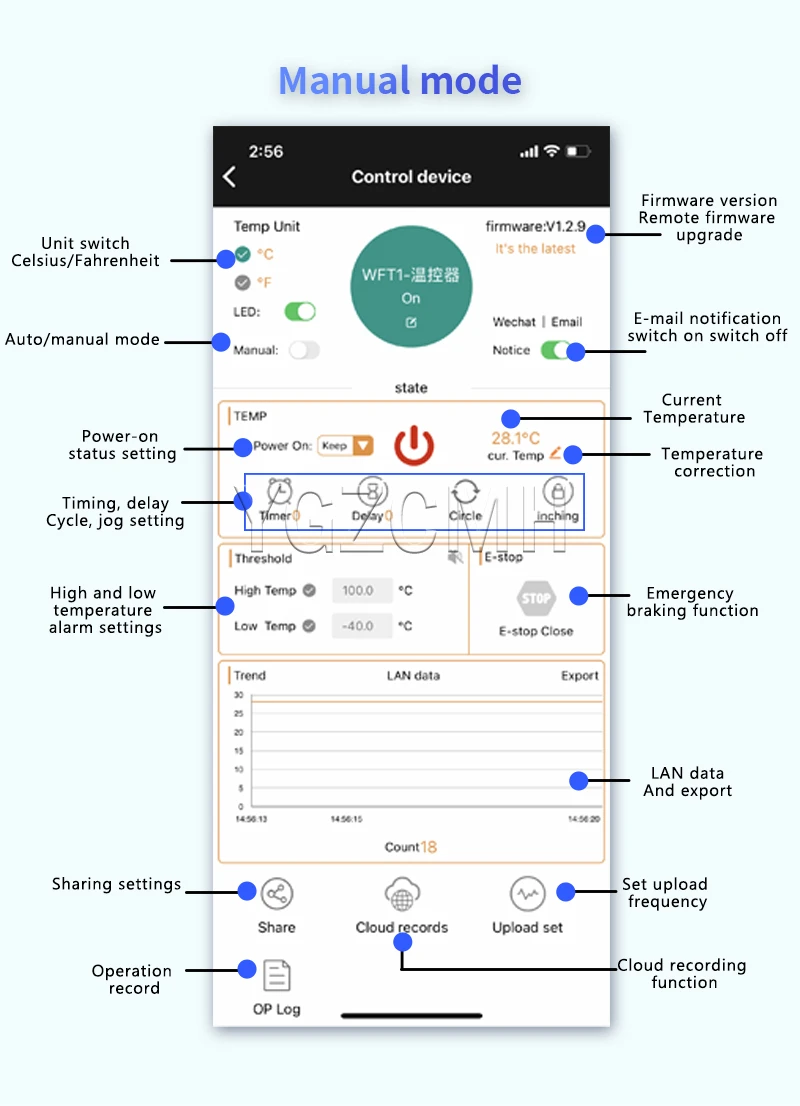
2.1 Manual mode function description
Timiming, delay, cycle and point can be set in manual mode;
2.2 Description of power status setting
Upper charging state-on: default suction of the relay after charging;
Up state-off: the relay is switched off by default;
Power up-hold: automatically restore the relay state after power up
2.3 Can the product be run offline in manual mode
In manual mode, the product can not run offline.。
2.4 Additional functional description in manual mode
Other features are the same as in automatic mode
3. Share the settings
Can be shared with others, that many people share a device, can control its functions.
4.Operation note
All operation records can be stored in the background, and the + timer + button + APP + heating and cooling mode to query the relay operation status;
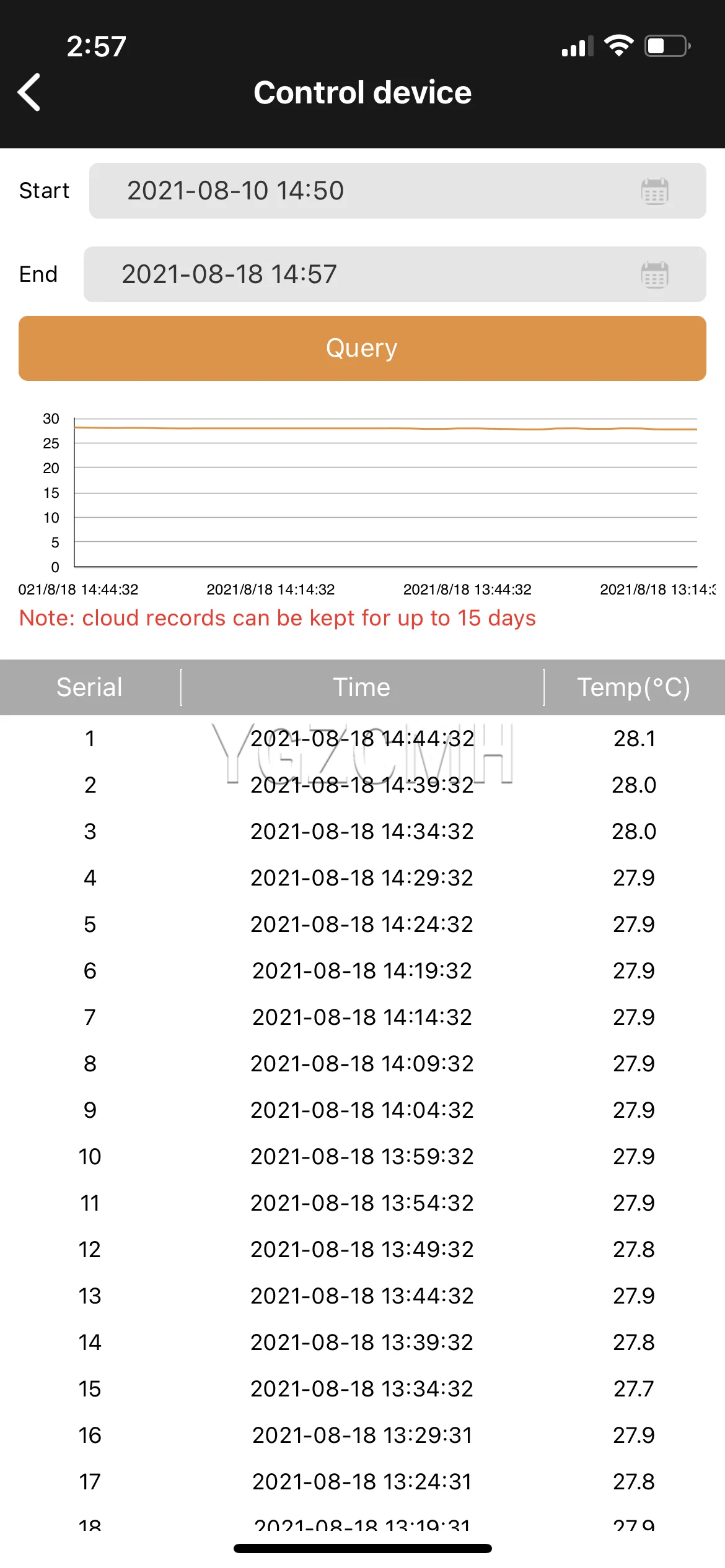
5.Cloud recording and upload frequency
Temperature data can be stored in the background, the frequency of log upload can be set for 1 second / bar (one default 5 minutes); the data can be inquired for any time period at will and retain data within 15 days at the maximum period; the cloud data export function can be added to make the next analysis of the temperature data;
6. Key button function and indicator light status
6.1 Keybutton function
Short press:
On / off the relay in manual mode;
In automatic mode, turn the emergency stop function on / off
Note: under the buzzer alarm state, briefly press the key to cancel the buzzer alarm, and do not perform other actions;
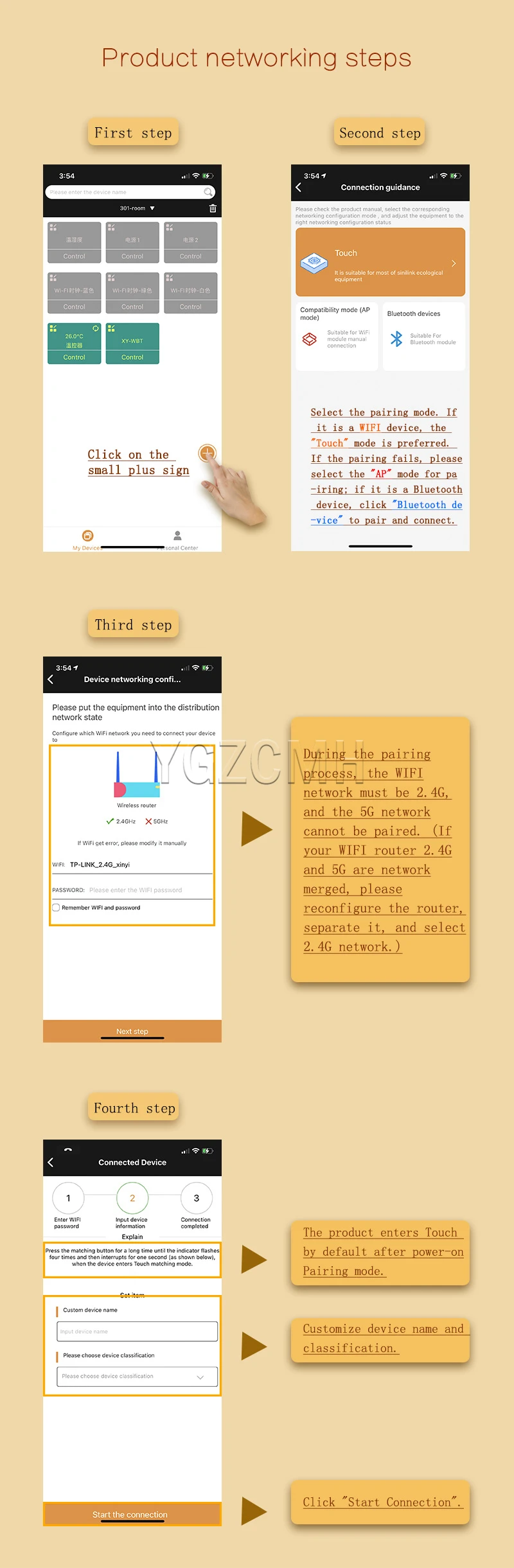
Press for 5 seconds: switch the pairing mode Touch/AP, to let the product into the pairing state;
6.2 Description of the indicator lamp function
Blue indicator lamp: the network status indicator lamp
1. is not connected to the router: bright 1S out of 0.1S so reciprocating;
2. link router but not connected: flash once, flash once so backwards;
3. Touch pairing mode: flash 4 times and then wait 1S so reciprocating;
4. AP pairing mode: blue light continuous flash;
5. networking success: the blue indicator light is always on;
Green indicator lamp: touch on and emergency stop indicator lamp
1. Turn on the emergency stop, and the green indicator light will flash;
2. In manual mode, if the green indicator is on
Red indicator lamp: relay status indicator lamp